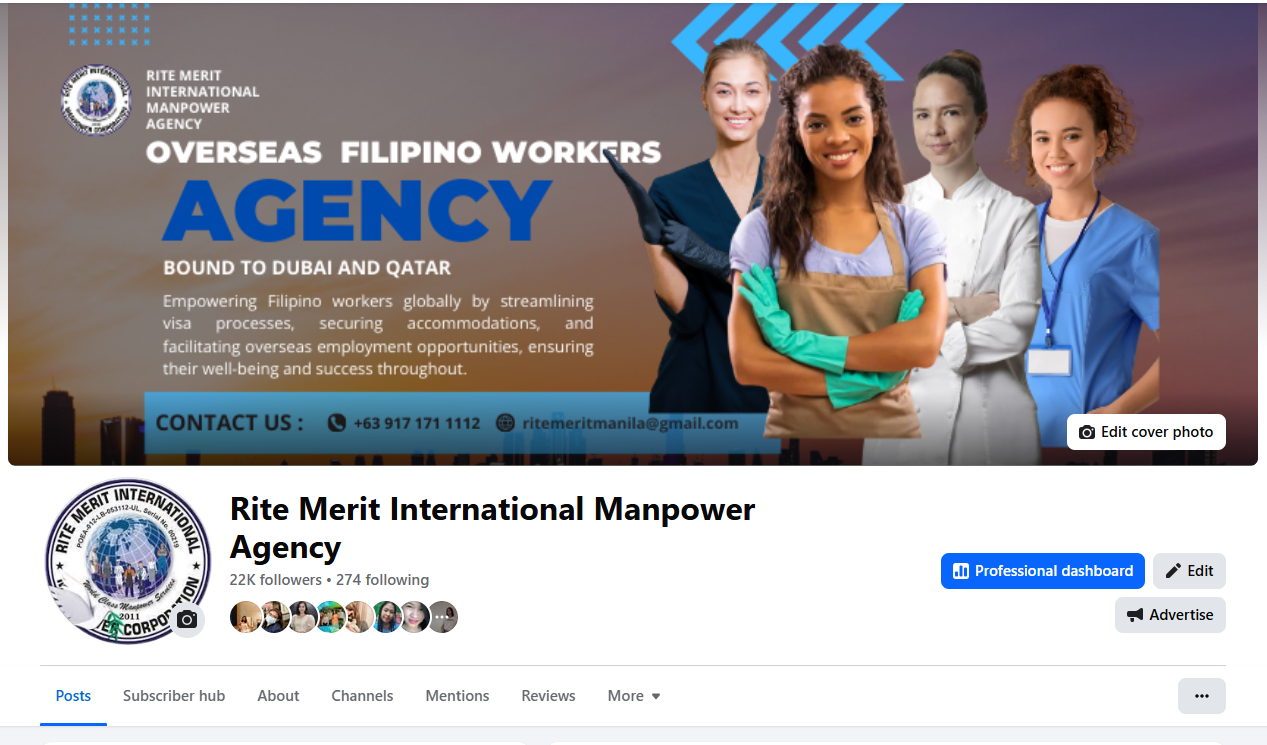

A Facebook Page is not just a place to post updates. It is the public face of your business on Meta, and it should feel clear, consistent, and easy to trust.
The biggest mistake I see is treating a Page like a personal profile. A profile is for a person. A Page is for a brand, business, community, or creator presence that needs structure, discoverability, and room to grow.
This guide walks through the setup flow, the branding decisions that matter most, and the tools you should check as soon as your Page is live.
1. Start with the right account structure
Before you build the Page itself, make sure you are logged into a personal Facebook account. That personal account becomes the admin that creates and manages the Page.
From there, create the Page directly from Facebook’s Page creation flow or from the menu area inside Facebook. Once you are inside the setup flow, choose a page name, category, and description that match what the business actually does.
- Page name: use the brand name people should remember.
- Category: choose the closest business type, not something vague.
- Description: explain what the Page helps people do in one or two clear sentences.
2. Set the username early
Your Page username is one of the most important small decisions you will make. It becomes the clean public handle people can search, share, and remember.
If you already know the brand name, try to secure the username as soon as possible. That keeps your presence consistent across Facebook, Instagram, WhatsApp, and other social channels.
A clean username also makes it easier for people to find you from Google search and from direct word-of-mouth sharing.
3. Use the right images and dimensions
Visual consistency matters more than most people think. A weak profile photo or a stretched cover image makes the whole brand feel less established.
Use a profile image that stays readable at small sizes, and upload a cover image that still looks strong on desktop and mobile. If you do not have a designer, use a tool like Canva and start with a clean template.
- Profile image: keep it simple, centered, and recognizable.
- Cover image: use it to explain the offer, process, or positioning.
- Export quality: make sure the images stay sharp after upload.
4. Fill in the page information properly
The Page should tell visitors what you do without making them dig for it.
That means completing the About section, contact details, business category, website link, and any other fields that help the Page feel complete. If people land there from a search result or a shared link, they should understand the business in a few seconds.
5. Add a strong call to action
Every serious Page should point people to the next step. That might be sending a message, calling the business, visiting a website, or booking a service.
Choose one primary action and keep it aligned with your goal. If your main goal is inquiries, the message button usually works best. If your goal is website traffic, send people to the right landing page instead.
6. Manage the Page from the right tools
Once the Page is live, the admin side matters. Use the editing and business tools to manage Page info, monitor activity, and keep everything consistent.
Depending on your setup, you may also use Meta Business Suite, Ads Manager, or Creator tools to review performance and manage posts. The goal is not to click every setting. The goal is to keep the Page organized and usable.
- Review the Page info and make sure it matches the brand.
- Check the Page username and public URL.
- Look at messaging, insights, and CTA settings.
- Use business tools only when they support your workflow.
7. Make the Page look active
A Page with no recent content feels abandoned. Even a simple posting rhythm helps visitors trust that the business is real and currently active.
Start with a few strong posts that introduce the brand, explain the offer, show proof, or answer common questions. After that, keep a realistic posting schedule that your team can actually maintain.
8. Keep the branding consistent everywhere
If the Facebook Page, website, Instagram, and business email all look like different companies, people hesitate. That inconsistency weakens trust.
Use the same brand name, similar visuals, and similar tone everywhere. The Page should feel like part of the same system, not a separate project that was finished in a hurry.
Simple Facebook Page checklist
- Create the Page from the correct personal admin account.
- Choose a clean page name, category, and description.
- Secure the username early.
- Upload a strong profile and cover image.
- Complete the About and contact sections.
- Set one clear call to action.
- Post enough content to show the Page is active.
Ready to turn it into a real brand presence?
A Facebook Page works best when it is treated like a real part of your business system, not just a place to upload a logo and hope for the best.
If you want help turning a profile into a proper page setup, or want the visuals and structure cleaned up for a business launch, we can build that workflow properly.