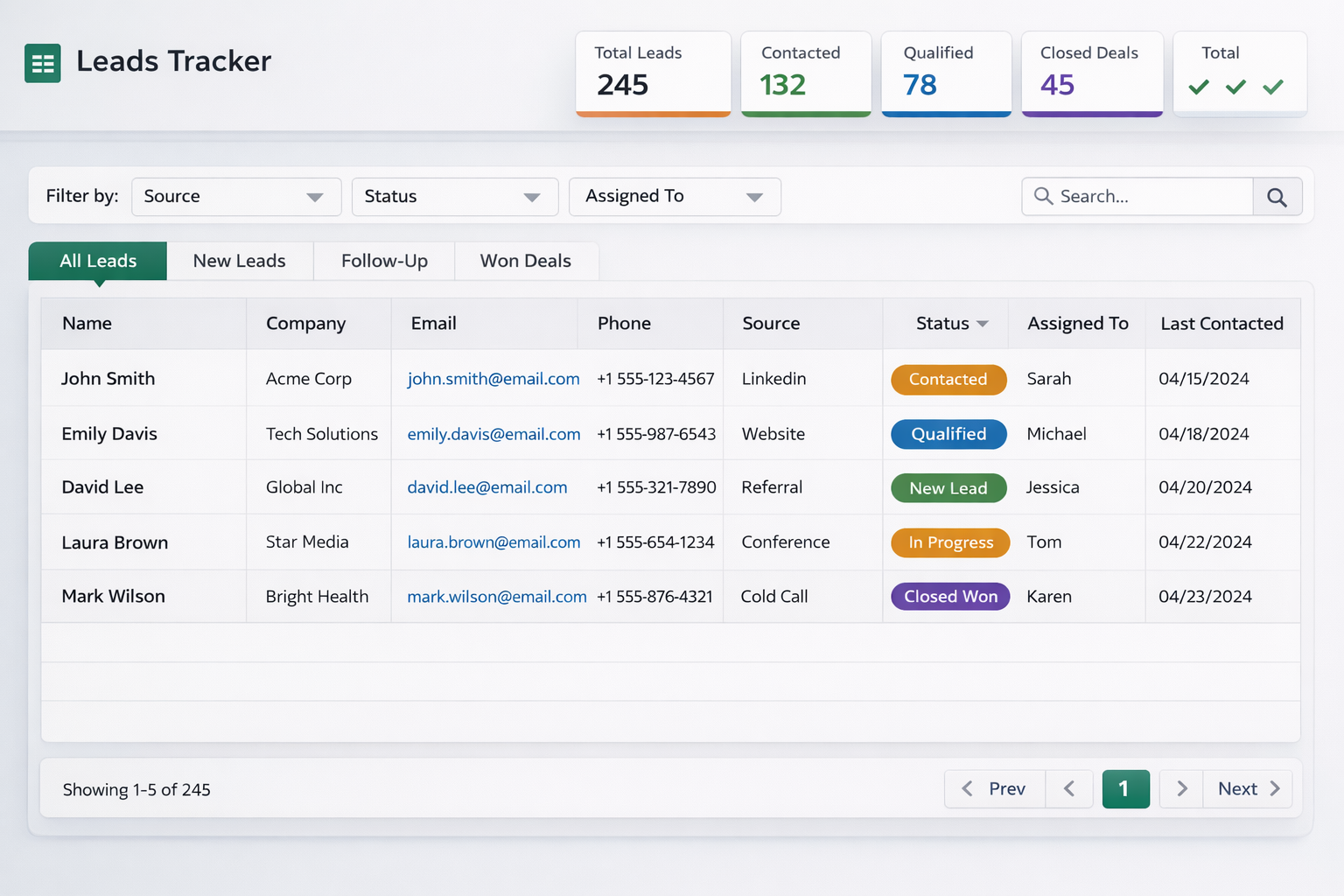
Simple tracking systems that support daily follow-up and reporting
We build organized Google Sheets systems for leads, applicants, and internal workflow visibility so teams can move faster with less confusion.
- Lead tracker and applicant status sheets
- Custom columns for your workflow stages
- Cleaner handoff visibility between team members
- Simple reporting and daily monitoring
Tracker Setup
Custom spreadsheet layouts for intake, follow-up, and reporting based on your daily process.
Team Visibility
Better visibility on who owns the next step, what status changed, and where leads are getting delayed.
Reporting Support
Simple summary views that help operators and managers understand the current pipeline faster.
5+
Tracker systems built for clients
100s
Leads organized into actionable dashboards
2 days
Average setup time from brief to delivery
How We Build Your Tracking System
A focused 4-step process — from understanding your workflow to handing over a ready system.
01
Workflow Audit
We map how leads and applicants currently move through your team and where visibility breaks down.
02
Column Design
Build the custom columns, dropdown values, and status labels that reflect your actual workflow stages.
03
Sheet Build
Assemble the tracker with intake forms, status views, and summary tabs based on your reporting needs.
04
Handover
Walk through the system with your team, answer questions, and make adjustments until it fits your daily use.
Common Questions
Do I need Google Workspace?
A free Google account is enough. Google Workspace adds sharing and permission controls but isn't required to get started.
Can multiple people use the sheet?
Yes — the tracker is built so team members can update their own rows, and managers get a summary view of the full pipeline.
Can I request changes after delivery?
Yes. We provide a revision window after handover and can update columns, dropdowns, or layouts as your process evolves.